Prefer AI? Summarize this with ChatGPT,
Claude,
Google AI Overview, or
Perplexity.
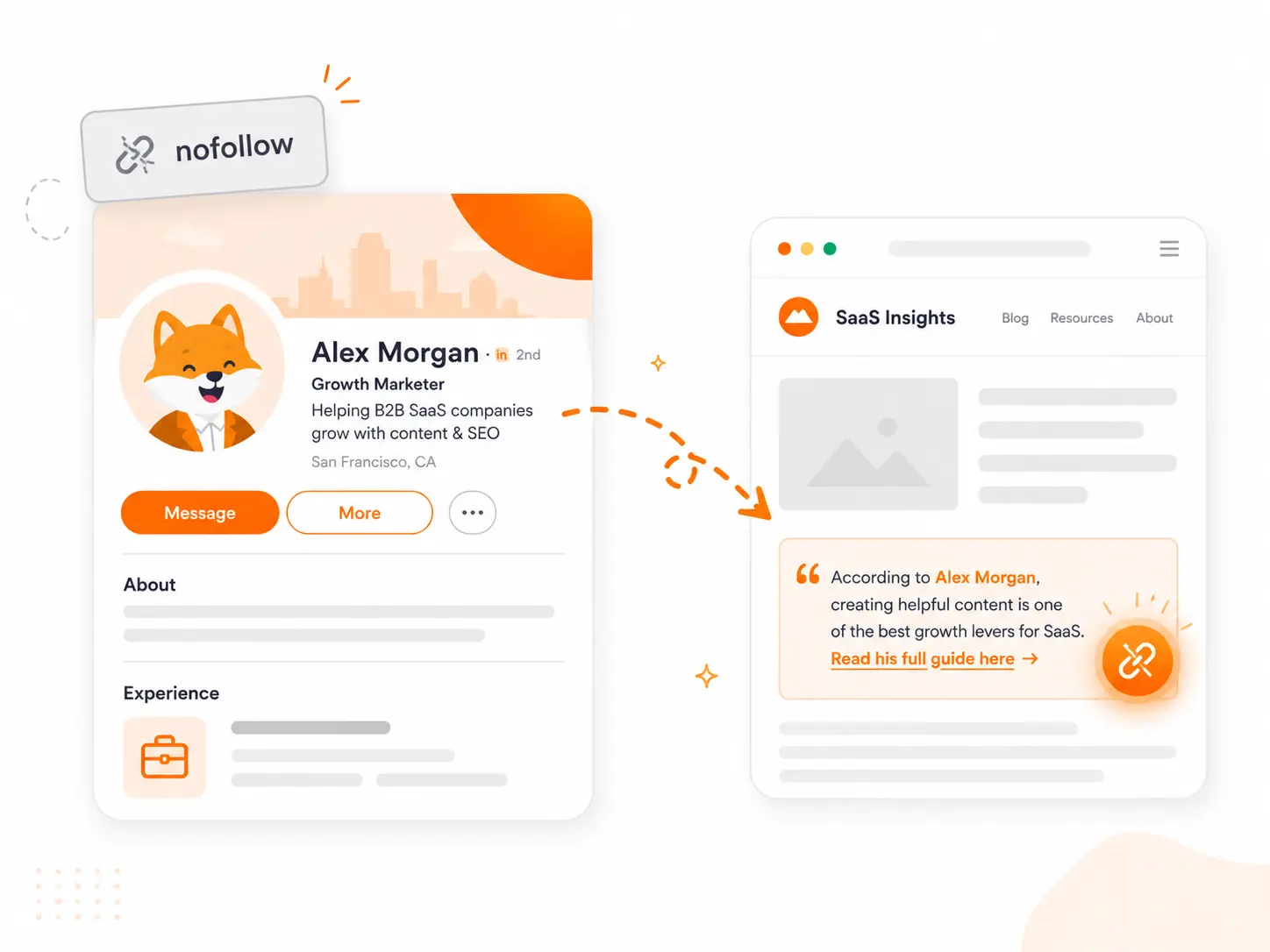
Most LinkedIn backlink guides spend most of their time confirming that the links are nofollow. That part is true. But the more useful insight is this: for B2B brands, LinkedIn is not primarily a place to get links — it's a place to find the people who will give you links on their actual websites.
That reframe changes which strategies are worth your time.
What LinkedIn actually gives you
Every external link on LinkedIn has carried rel="nofollow" since June 2014. LinkedIn made the switch to prevent spammers from exploiting its high domain authority (DA 98–99). The policy has not changed since, and no public-facing placement produces a dofollow link.
| Placement | Attribute | Indexed by Google | SEO value |
|---|---|---|---|
| LinkedIn Articles (Pulse) | nofollow | Yes | Medium — can rank independently |
| Profile About section | nofollow | Yes | Low — profile SEO only |
| LinkedIn Newsletters | nofollow | Yes | Medium |
| Feed posts | nofollow | No | Very low |
| Comments | nofollow | No | Very low |
| Video descriptions | nofollow | No | Very low |
The most important column is "Indexed by Google." Feed posts — what most people publish on LinkedIn daily — are invisible to Googlebot. LinkedIn blocks crawling of the main timeline. The content that Google does see is LinkedIn Articles written through the article editor, profile pages, and Newsletters. If your goal is for Google to encounter a LinkedIn link, it must live in an Article or profile section, not a standard post.
Google treats nofollow as a hint rather than a strict directive since September 2019, meaning it may choose to consider a nofollow link for crawl discovery or contextual signals in some cases. The practical impact is small and not reliable enough to build a strategy around.
Are LinkedIn backlinks worth it?
For direct rankings: no. No PageRank transfers, and Google has explicitly confirmed that social signals are not a ranking factor.
The indirect case is stronger — especially in B2B:
- Referral traffic. LinkedIn sends professional, high-intent visitors. A post that resonates in a B2B niche can drive meaningful traffic to a specific page — often higher quality than general social referrals.
- E-E-A-T signals. Regular expert presence on LinkedIn, with your name consistently associated with your topic, builds the kind of author authority that Google uses to evaluate trustworthiness. It doesn't show up as a link — it shows up as branded search volume and entity recognition over time.
- LinkedIn as an outreach channel. This is the highest-ROI use case. Journalists, bloggers, and niche site owners are reachable on LinkedIn. A relationship started there converts into a dofollow link on their site — not a nofollow link on LinkedIn. That's the same relationship-building step that lands Forbes expert quotes — LinkedIn is often where the journalist notices you first.
| Situation | Worth pursuing? |
|---|---|
| You need to move keyword rankings directly | No |
| You're building B2B brand authority | Yes |
| You want referral traffic from professional audiences | Yes |
| You're using LinkedIn to reach journalists and creators | Yes — this is the core play |
| You're in a non-B2B niche and need quick wins | No — Reddit or guest posts have higher ROI |
| You want to rank LinkedIn Articles parasitically | No — positions unstable, Google aggressive since 2024 |
Strategies worth the effort
| Strategy | Effort | Link type | Needs own channel |
|---|---|---|---|
| Profile / Company page About section | Very low — 15 min | nofollow | Yes |
| LinkedIn Articles | Medium — per article | nofollow (but indexed) | Yes |
| Outreach to creators via LinkedIn | Medium — relationship building | dofollow on their site | No |
| Linkable assets shared on LinkedIn | Medium-high — content creation | dofollow (indirect) | No |
| Community posts | Low | nofollow, not indexed | No |
| Video descriptions | Low | nofollow, not indexed | No |
Profile and company page About section
The baseline for any LinkedIn presence. Add your website URL in the About section — it appears on your profile, is indexed by Google, and takes fifteen minutes to set up. The first 40 words of the About section carry the most weight for profile-level keyword visibility. Do this once and leave it.
LinkedIn Articles
Articles published through LinkedIn's article editor are public HTML pages that Google crawls and indexes. A well-written article from an author with a credible profile can rank for long-tail B2B queries. This is a legitimate use of LinkedIn's authority — just be aware that if you're publishing ranking-focused articles, you're competing in an indexed format, not hiding behind a nofollow.
One specific risk: LinkedIn has no canonical tag support. Never copy an article from your blog to LinkedIn verbatim. Google may treat the LinkedIn version as the original and demote your own domain as the duplicate. Publish a unique summary or adaptation that links to the full version on your site.
LinkedIn as an outreach channel
This is where the real link value lives. Journalists writing about your industry, bloggers covering your niche, and podcast hosts who review tools are all reachable on LinkedIn — and a LinkedIn introduction is often warmer than a cold email.
The play: find creators and writers whose audiences overlap with your product, engage with their content over a few weeks, then reach out with something specific and useful. The link you're after lives on their website, not on LinkedIn.
Hi [Name],
I've been following your work on [topic] — your recent piece on [specific article] was genuinely useful.
I'm building [Tool], a [one-line description]. We recently [published a study / built a free resource / collected data] on [relevant topic] that might be worth referencing for your audience.
Happy to send it over if it's relevant.
[Your name]
Linkable assets shared on LinkedIn
Original research, free tools, and data-backed guides attract links naturally when shared in the right professional networks. Educational content generates significantly more backlinks than promotional content. Publish the asset on your domain, then share a summary on LinkedIn — the backlinks come from people on LinkedIn who find it and link to it from their own blogs or resource pages.
Skip these
Community posts and video descriptions — not indexed by Google, very low click-through on the link, not worth the effort for SEO purposes.
Comment links — LinkedIn's algorithm detects and deprioritises this pattern as of early 2026. The links pass nothing, and the practice risks platform penalties.
One risk most guides skip
No canonical tags = duplicate content risk. LinkedIn does not let you set a canonical URL on Articles. If you publish the same post on your blog and on LinkedIn, Google decides which version to treat as original — and it may choose LinkedIn, not your domain. Your own page gets treated as the copy. Avoid 1:1 content duplication across the two platforms.
Algorithm suppression on posts with links. LinkedIn data from AuthoredUp shows that posts containing external links in the body receive approximately 60% less reach than posts without them. This is separate from the SEO question — it's about LinkedIn's own distribution. If you want a post to reach people on LinkedIn, keep the link out of the body and put it in the first comment, or skip the link entirely and drive traffic through a follow-up touchpoint. The suppression is a platform behaviour, not a Google behaviour.
Finding LinkedIn connections worth reaching out to
The bottleneck is discovery — knowing which creators, journalists, and site owners are covering your topic and would have a real reason to link to you. The process is the same as finding any backlink opportunity, scoped to professionals on LinkedIn.
A useful starting point: search LinkedIn for your niche topic plus "writer", "editor", or "founder." Filter by connections of connections to find introductions through mutual contacts. For journalists specifically, searching by company name (publications in your space) surfaces relevant contacts faster than keyword search alone.
Mentiohunt's backlink opportunity queue surfaces websites and contact details across platforms — including content creators in adjacent niches — without the manual search loop. The fit rationale tells you why each site is relevant before you spend time on outreach.
Founder of Mentiohunt. Built the company's own backlink pipeline using the same methods covered here — expert quote outreach, journalist sourcing platforms, and citation-worthy assets. Writes about link prospecting and founder-led distribution.
@nicolasmore_Turn platform research into a recurring opportunity queue.
Mentiohunt helps founders turn article URLs, competitors, keywords, and product context into qualified backlink opportunities with fit rationale and outreach prep.