Prefer AI? Summarize this with ChatGPT,
Claude,
Google AI Overview, or
Perplexity.
Outreach reply rates in link building average somewhere between 1% and 8%, depending on who you ask and what kind of campaign you are running. At the low end, 30 emails per week produces roughly one conversation every two weeks. At the high end, you might get two or three.
For a founder who is personally sending every email, that math means every send counts more than it does for an agency running 500 a month. You cannot burn a good target with a rushed email and just move on.
This guide covers the full outreach process — not just how to write the email, but how to pick who to email, what to include, how to follow up, and what to skip. It is built for founders and small teams running 20–50 sends per week, not for agencies optimizing at volume.
Pick the Right Targets Before You Write Anything
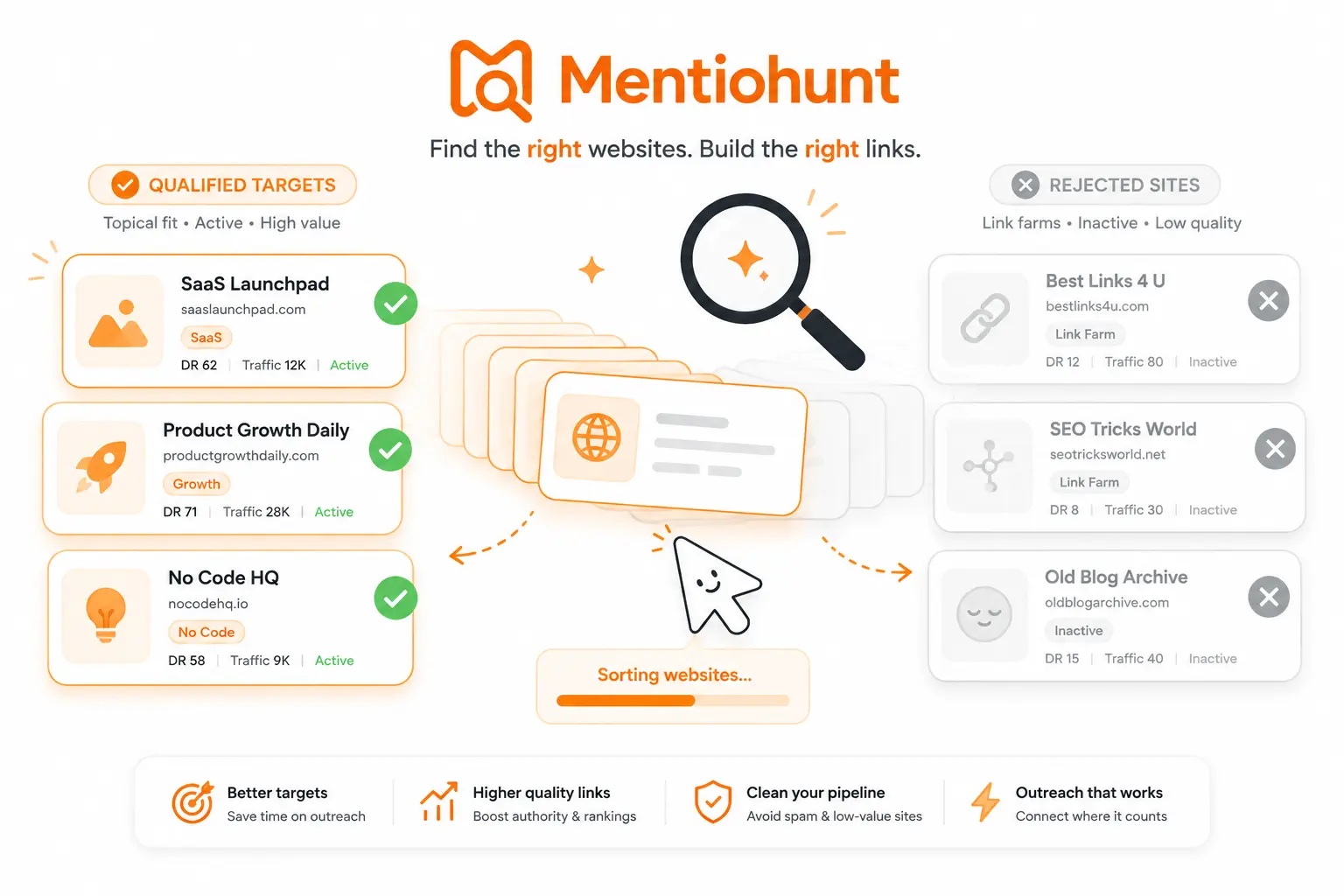
The most common reason outreach campaigns underperform is not bad email copy. It is bad target selection.
A perfectly written email to a site with no real reason to link to you gets deleted just as fast as a lazy one. The difference is you spent more time on it.
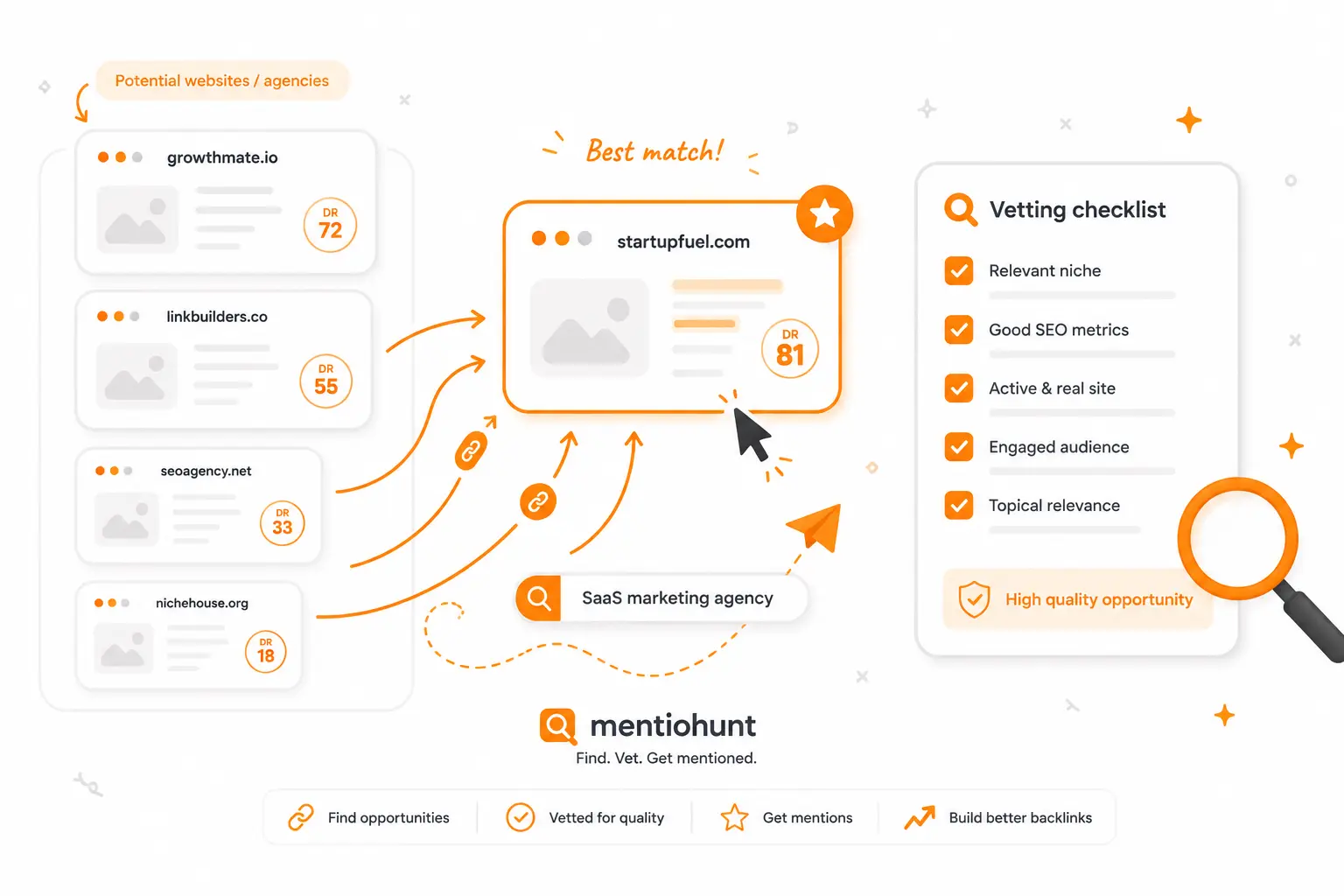
A qualified target has four characteristics:
- Topic fit: the site covers content where your article or product belongs in context
- Page fit: there is an existing page where your link could plausibly sit
- Active editorial calendar: the site publishes regularly; a blog with its last post from 2023 is a dead end
- Human author: the post was written by someone specific, not an anonymous content mill
Red flags worth skipping immediately: sites where every "about us" page reads like a template, domains whose DR jumped 30 points in 60 days without corresponding traffic, and sites that reply to every pitch with a pricing sheet.
Where to find qualified targets:
- Competitor backlink profiles in Ahrefs or Semrush — sites linking to multiple competitors are already editorially active in your space
- Google operators like
"best [category] tools" inurl:blogor"[your topic]" intitle:resources - Unlinked mentions — sites that referenced your product or founder without linking
- Resource pages in your niche that curate tools and guides
- Your article URLs run through a tool like Mentiohunt, which surfaces sites where each piece fits and prepares a contact and outreach angle per opportunity
Spending 80% of your prospecting time on target qualification and 20% on email writing is a better ratio than the reverse. If you want a full workflow for finding opportunities before you get to outreach, this guide on finding backlink opportunities covers the discovery side in detail.
The Anatomy of an Outreach Email That Gets Replies
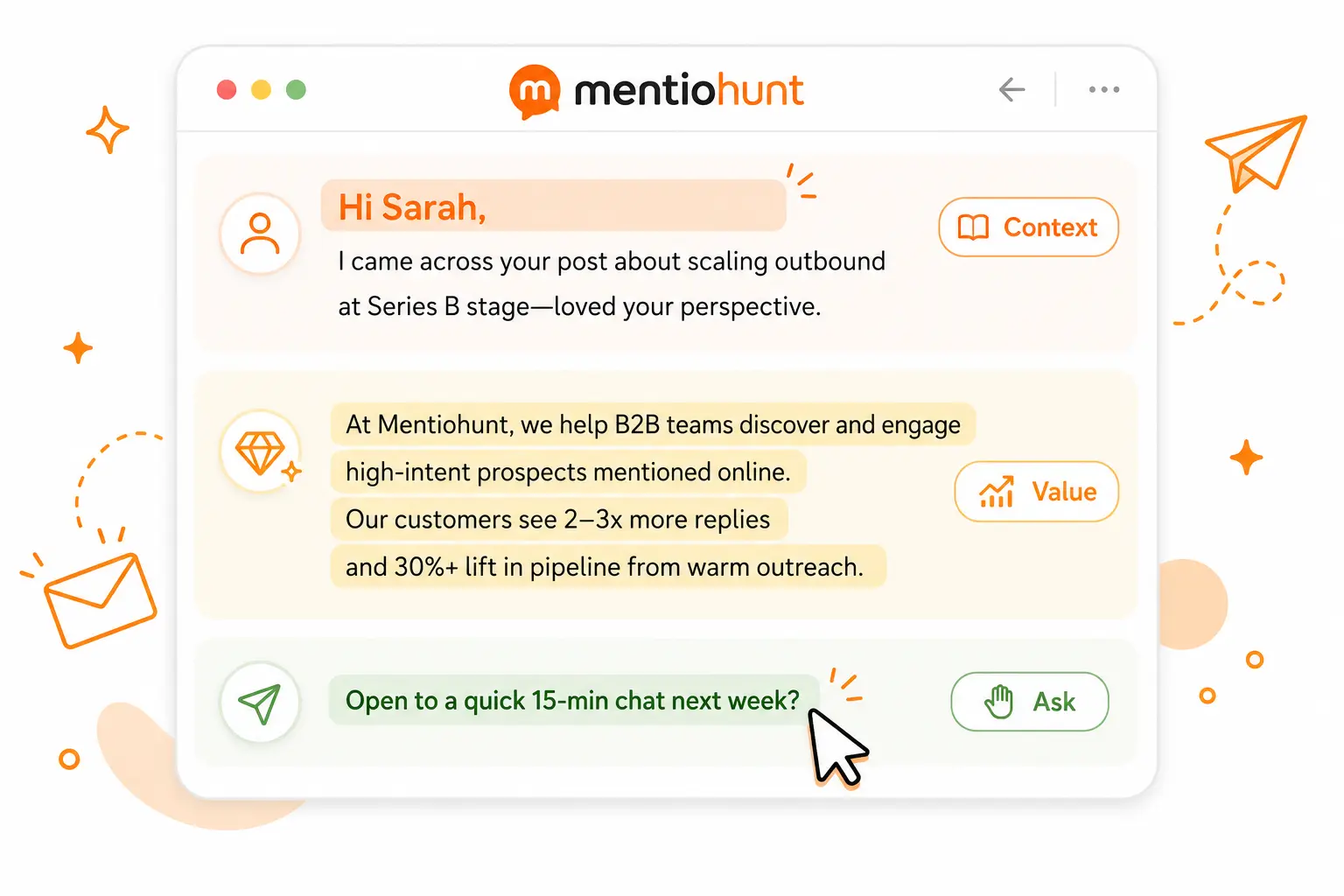
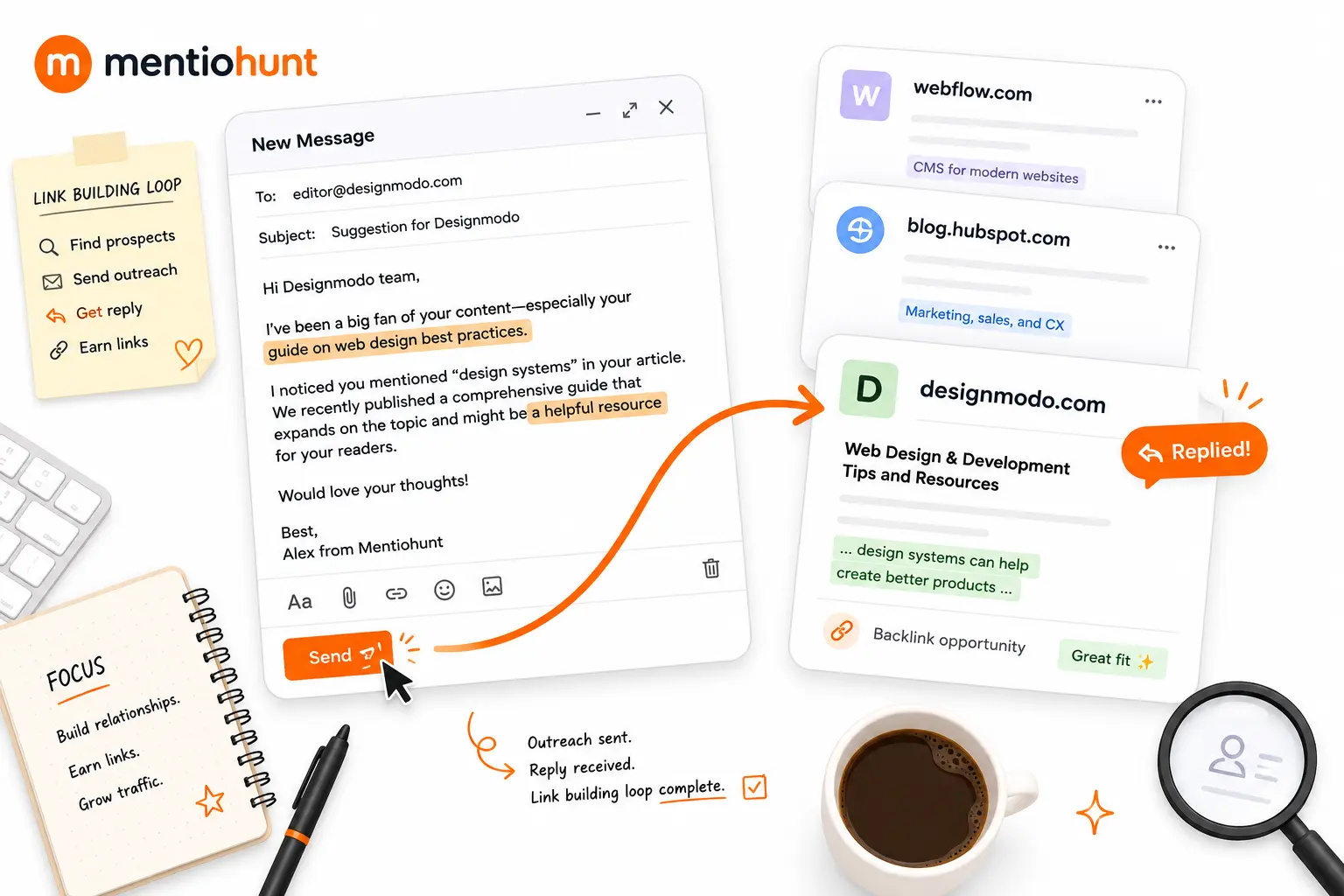
Every outreach email that converts follows the same structure: Context → Value → Ask.
That is it. Three things. Most failing emails violate one or more of them.
Context means proving you read something specific. Not "I really enjoyed your blog." Editors in 2026 receive hundreds of AI-generated openers that start exactly that way. The only thing that signals real attention is a specific observation you could not have generated without actually reading the post — a counterintuitive claim they made, a gap in an otherwise solid guide, a particular example that stuck with you.
Value means framing your link as something useful for their readers, not a request for help with your SEO. "This guide might add something for readers who want to go deeper on X" lands differently than "I'd love a link to my post."
Ask means one specific, low-friction request. The best asks are yes/no questions: "Would this be useful for that section?" or "Does this fit what you'd want to point readers toward?" Avoid multi-part requests or anything that requires the editor to make a decision about placement, anchor text, and timing all at once.
Subject lines: specific beats clever. "Note on your [article title]" consistently outperforms "Quick partnership opportunity" or "Content collaboration request." The goal is to make it obvious why you are reaching out before they open the email.
Length: 60–150 words. Under 100 is often better when you are emailing founders and site owners directly. Long outreach emails are almost never read completely.
Four Outreach Email Templates for 2026
These templates cover the four outreach types that convert at reasonable rates for low-volume, high-quality campaigns. Broken link building and the skyscraper technique are not included — at 20–50 emails per week, neither produces enough return to justify the prospecting time (more on that in the last section).
Resource Page or Roundup Addition
Use when a site has a curated "best tools" or "resources" page where your article or product would fit naturally.
Hi Sarah,
Came across your cold email resources page while looking into outreach tools. You've got the Lemlist blog and Hunter.io's outreach guide listed — solid picks.
One thing I didn't see covered: email deliverability setup for founders using a new sending domain for the first time. We published a guide that walks through SPF, DKIM, and DMARC in plain language — no sysadmin required.
Would it be a fit to add?
Tom
The specific mention of an existing resource on their page proves you looked. The framing stays on reader utility, not SEO gain.
Unlinked Brand Mention
Use when a site already referenced your product, founder, or content without linking to it. This is the lowest-friction outreach type — the site already endorsed you. The ask is minimal.
Hi Jake,
Noticed you mentioned Capsule in your cold outreach tools roundup — thanks for including us.
One small thing: the mention isn't linked. If it makes sense to add a link to our site, it'd make it easier for your readers to find us. Happy either way — just thought I'd flag it.
Tom
Link Insertion (Niche Edit)
Use when you have an article that fills a specific gap in an existing post. The key is naming the exact section and the exact gap — generic "I wrote something relevant" pitches get deleted.
Hi Priya,
Read your post on email domain warm-up — specifically the section on daily sending limits. Useful breakdown.
One thing readers probably ask after that section: how to set up a separate sending subdomain so your outreach reputation doesn't affect your main domain. We wrote a guide that covers exactly that: capsule.io/blog/email-deliverability.
If it fits what you'd want to point readers toward, happy to share more context.
Tom
Guest Post Pitch (Founder to Founder)
Use when you want to contribute a piece to a site that publishes guest content. Keep it shorter than most guest post pitch guides recommend — founders respond to brevity.
Hi Marcus,
I run Capsule — we build a lightweight CRM for small B2B sales teams. I've been reading GrowthHackers for a while; your post on outreach systems for early-stage teams was one of the better takes I've seen on keeping volume manageable without burning prospects.
I'd like to write a guest post on email deliverability setup for SaaS founders. My angle: most early-stage teams don't realize their cold outreach domain is affecting their product email reputation until it's already a problem — and the fix takes less than an hour.
Would that work for you?
Tom
The reference to a specific post signals real engagement. Pitch one idea, not a menu.
The Follow-Up Sequence
Most outreach fails not because the initial email was ignored, but because nothing came after it. Hunter.io's 2026 dataset shows 66% of replies come from follow-up emails, not the first send. If you stop at one, you are leaving most of your potential links behind.
A three-touch sequence is the right structure for low-volume, quality-first campaigns.
Touch 1: Initial email (Day 0) — the templates above.
Touch 2: Reframe + add value (Day 4–5)
Hi Priya,
Following up on my note from a few days ago.
One thing I should have mentioned: the guide also covers how to check whether emails are landing in inbox vs. spam before scaling sends — something a lot of readers ask about in that context. Worth flagging in case it changes how it fits.
Happy to answer any questions.
Tom
The reframe does two things: it gives readers who missed the first email a second chance, and it gives readers who dismissed it a new angle to reconsider. Never write "Just checking in" — it signals you have nothing new to add.
Touch 3: Graceful close (Day 10–12)
Hi Priya,
Last note on this — I know your inbox is busy.
If you ever revisit the piece or have a reason to link to email deliverability setup in the future, our guide is at capsule.io/blog/email-deliverability.
Thanks for your time either way.
Tom
The graceful close removes pressure and leaves the door open. A small number of these come back weeks or months later with a "actually, yes" — and the relationship is intact because you did not push.
Stop at three. A fourth email rarely produces results and risks being marked as spam.
Deliverability: The Part That Kills Good Campaigns
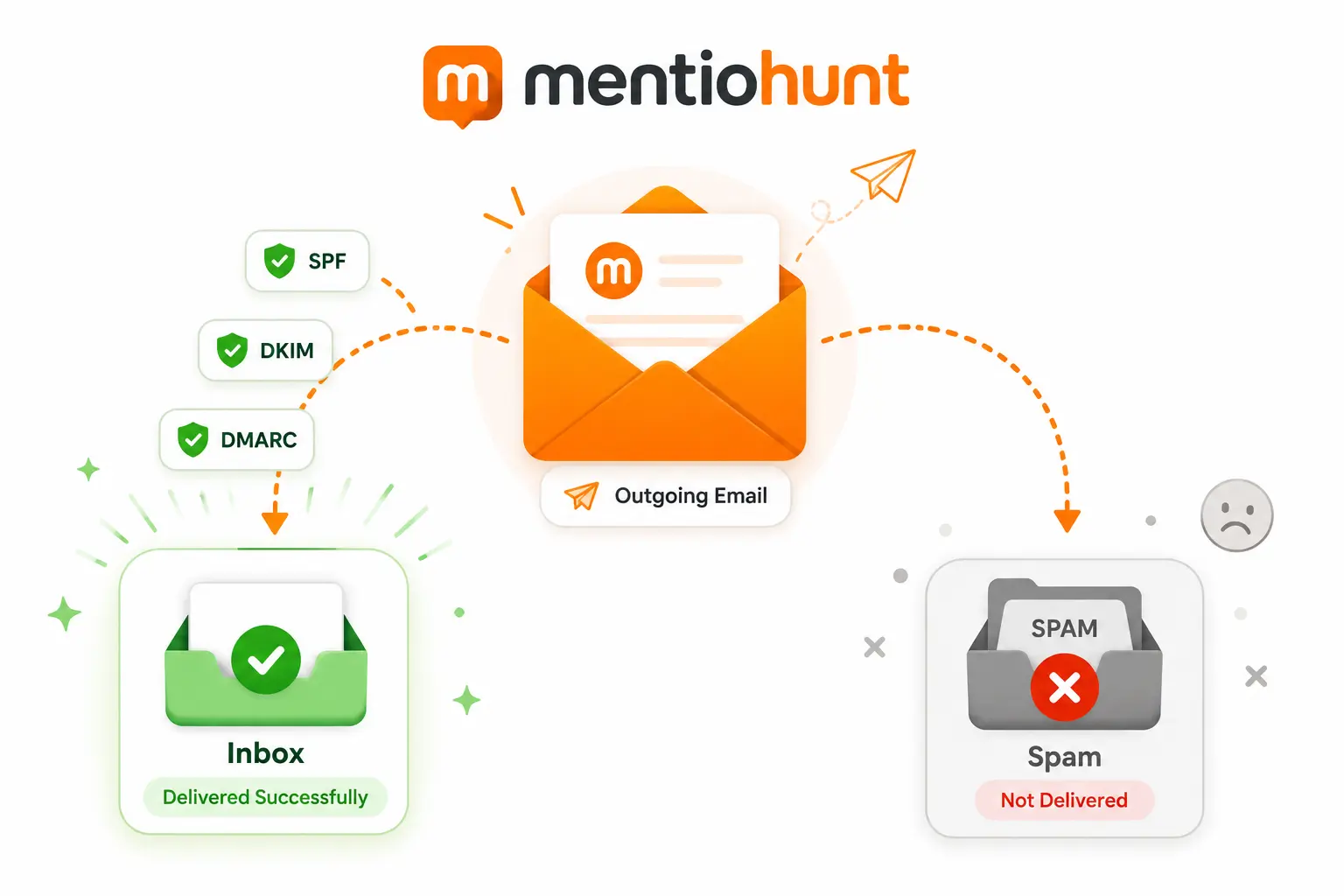
You can write the best outreach email in your niche and still get zero replies if it lands in spam. Deliverability is not optional infrastructure.
The minimum setup before your first batch:
- Use a subdomain or sending variant of your main domain. Do not send bulk outreach from the same domain as your product emails. If your sending domain gets flagged, it should not take down your transactional email reputation.
outreach.yourdomain.comoryourdomainhq.comare standard approaches. - Configure SPF, DKIM, and DMARC. These three DNS records authenticate your emails and tell receiving mail servers you are a legitimate sender. Gmail and Outlook both tightened authentication requirements for bulk senders in 2024–2025. Without them, you are guessing whether emails land.
- Warm up before sending at volume. A new sending domain starting at 50 emails per day is a strong signal of spam behavior. Start at 5–10 per day and increase gradually over four to six weeks. Most email tools (Lemlist, Instantly, Mailshake) include a built-in warm-up feature — use it.
- Verify your contact list before sending. Bounce rates above 2% damage your sender reputation for all future sends. Run your contacts through NeverBounce or ZeroBounce before the first batch.
- Daily sending limit: Once warmed up, 30–50 emails per day is a safe ceiling for quality-first campaigns. Link Building Journal's 2026 guide recommends 20–30 personalized emails per day as the window that preserves deliverability health while maintaining personalization quality.
What to Track
You do not need a full outreach CRM at 30–50 emails per week. A simple spreadsheet with one row per contact covers the full funnel. If volume grows past that, compare CRM-heavy platforms against a lighter opportunity queue: BuzzStream, Pitchbox, and Respona are built for teams already running structured campaigns.
| Stage | What "good" looks like |
|---|---|
| Open rate | 40–60% for personalized sends from a warmed domain |
| Reply rate | 10–15% for well-targeted, personalized campaigns |
| Positive reply rate | ~50% of replies are editors who want to proceed |
| Link placed | 60–80% of positive replies result in a live link |
If your open rate is low (under 30%), the problem is deliverability or subject lines.
If your reply rate is low with good opens, the problem is the email body — usually the value framing or the ask.
If your positive rate is low, you are either targeting the wrong sites or the link rationale is not clear enough.
If links placed is low despite positive replies, follow-up and coordination are breaking down after agreement.
For real reply-rate benchmarks by Domain Rating tier and site fit — not third-party estimates — see Mentiohunt's link building outreach statistics.
Each stage has a different fix. Tracking the funnel tells you where to look instead of guessing.
What No Longer Works in 2026
Four practices that were standard a few years ago and now reliably underperform:
- Generic templates with light personalization tokens. "Hi [First Name], I loved your recent post about [Topic]" is identifiable as a template in one read. Editors who receive outreach at volume skip these without replying.
- Broken link building at low volume. Finding a broken link, building or finding a replacement, and crafting a targeted pitch is a significant time investment. At 50 emails per week, the ROI rarely justifies the prospecting time. Hunter.io's 2026 guide recommends against it as a core strategy for teams that cannot run it at scale.
- Skyscraper technique as a cold pitch. "We wrote something better than the resource you linked to" works when the original is genuinely outdated and your replacement is clearly superior. In practice, most pitches using this frame are not actually better — they are just longer. Editors have seen the pattern enough times to be skeptical by default.
- AI-generated emails sent without review. The tell is identifiable to experienced recipients: correct grammar, accurate context, but structurally generic observations that could apply to any similar post. One human observation that required reading the actual article is more effective than a 200-word AI-polished email.
The practical summary: good outreach is not a copywriting problem. It is a targeting and attention problem. The emails that get replies prove the sender read something and have a specific, plausible reason to be reaching out. Everything else — templates, follow-ups, deliverability — supports that core signal.
If you are spending more time writing emails than finding and qualifying targets, the ratio is probably backwards. For the full picture on building a backlink strategy around this kind of outreach, the B2B SaaS backlink building guide covers where email outreach fits in a broader link acquisition program.
Frequently Asked Questions
What is a good response rate for link building outreach?
For personalized outreach, a 10–15% reply rate is achievable. Generic or lightly personalized campaigns average 5–8%. Hunter.io's 2026 dataset reports their internal program converts roughly 1,000 prospects into 50 replies, with about half being positive. For founders running low-volume, high-quality campaigns, 12–18% reply rates on resource page and unlinked mention outreach is realistic.
How many outreach emails should I send per day?
If you are warming up a new sending domain, stay under 20–30 emails per day for the first four weeks. Once warmed up, 30–50 per day is safe for quality-first campaigns. Sending more than 50 per day from a new or low-reputation domain significantly increases spam placement risk.
Should I use a separate domain for link building outreach?
Yes. Use a subdomain or a close variant of your main domain (e.g., outreach.yourdomain.com or yourdomainhq.com). This protects your primary domain's sending reputation if a batch gets flagged as spam. Set up SPF, DKIM, and DMARC on the sending domain before the first send.
Should I use Gmail/Google Workspace or Microsoft 365 for outreach — does the provider affect deliverability?
Google Workspace and Microsoft 365 are both solid choices for outreach at founder scale. Neither gives a meaningful deliverability advantage over the other once SPF, DKIM, and DMARC are correctly configured. Dedicated SMTP providers like SendGrid or Postmark are built for transactional volume, not cold outreach — using them for link building often triggers spam filters faster than a properly warmed inbox on Workspace or 365. Stick with one of those two for outreach, and use a separate sending domain regardless of which you choose.
What subject lines actually get outreach emails opened?
Specific beats clever. Subject lines that reference the exact article or page you are writing about consistently outperform generic outreach framing. "Note on your [article title]" or "Small addition for your [topic] guide" outperform "Content collaboration request" or "Quick partnership opportunity" because the recipient immediately understands why you are reaching out before opening. Keep subject lines under 50 characters where possible — mobile inboxes truncate anything longer. Avoid words like "partnership," "collaboration," "opportunity," and "backlink" in the subject — they are pattern-matched by both spam filters and experienced editors.
How do I avoid sounding like AI in outreach emails?
Reference something specific from the target article that you could not have generated without reading it — a counterintuitive claim, a specific example, an unusual framing. AI-generated outreach tends to be accurate but generic. One concrete, specific observation signals real attention and is the clearest way to stand out in 2026 inboxes.
How many follow-up emails should I send for link building?
Three touches is the standard that performs well in practice: initial email, a reframe on day 4–5, and a graceful close on day 10–12. Hunter.io's 2026 data shows 66% of replies come from follow-ups, not the initial send. Stop at three — a fourth email rarely adds value and risks damaging the relationship.
How do I find a site owner's email address without paying for a tool?
Several free approaches work at low volume. Hunter.io's free tier includes 25 searches per month — enough for a focused campaign. The site's contact or about page lists an email directly on many founder-run blogs. LinkedIn shows the person's name; you can then test common formats (firstname@domain.com, f.lastname@domain.com) using a free verifier like MailTester or NeverBounce's free checker. Twitter/X bios and replies are a reliable source for founder-run publications — many list a contact email or respond to a direct message. At 20–50 outreach emails per week, Hunter.io's free tier plus manual checking on contact pages covers most targets before a paid tool becomes necessary.
What metrics should I check before reaching out to a site?
Four checks before investing time in a pitch: Domain Rating of at least 20 in Ahrefs or Semrush; organic traffic present (sites with zero organic traffic pass no SEO value); posting recency within the last 6 months; and topical relevance, meaning their top pages share keywords or audience with your content. A DR 60 site in an unrelated niche passes the authority filter but fails relevance. Also check the backlink growth graph — a sudden spike in referring domains without matching traffic growth is a common spam signal. Hard minimums: DR 20+, organic traffic present, topically adjacent, published recently.
Is it worth doing link building outreach yourself versus paying an agency?
Running outreach yourself at 30–50 emails per week takes roughly 4–6 hours per week: 1–2 hours on prospecting and qualification, 1–2 hours on writing and personalization, and 30–60 minutes on follow-up. Agency pricing for managed link building ranges from roughly $200–$500 per placed link at the lower end to $1,500–$3,000 per month for retainer programs placing 5–15 links monthly. The more important tradeoff is control: agencies own the prospect list and the site relationships, so switching costs are high and the asset does not transfer when you stop paying. DIY builds direct relationships and a reusable prospecting list. For most early-stage founders, the math favors DIY until monthly volume clearly justifies the agency cost.
Is paying for backlinks risky?
Yes. Paid links that are not disclosed with a rel="sponsored" or rel="nofollow" attribute violate Google's link spam policies, and the risk is a manual or algorithmic penalty to your domain. In practice, many sites charge editorial fees and pass followed links without disclosure — this is common enough that Google's algorithm is the primary enforcement mechanism rather than manual review. The risk is real but probabilistic: most paid links at low volume do not trigger penalties. The practical concern is that a penalty can take months to recover from and disproportionately harms early-stage domains that have not built enough authority to absorb it. If you pay for placements, confine them to sites with genuine editorial standards, real organic traffic, and topical relevance — not directories or networks that exist primarily to sell links.

Founder at Mentiohunt. Building distribution tools for founders and small marketing teams. Writes about backlink building and founder-led growth.
@nicolasmore_Turn this guide into a weekly opportunity queue.
Mentiohunt helps founders turn article URLs, competitors, keywords, and product context into qualified backlink opportunities with fit rationale and outreach prep.