
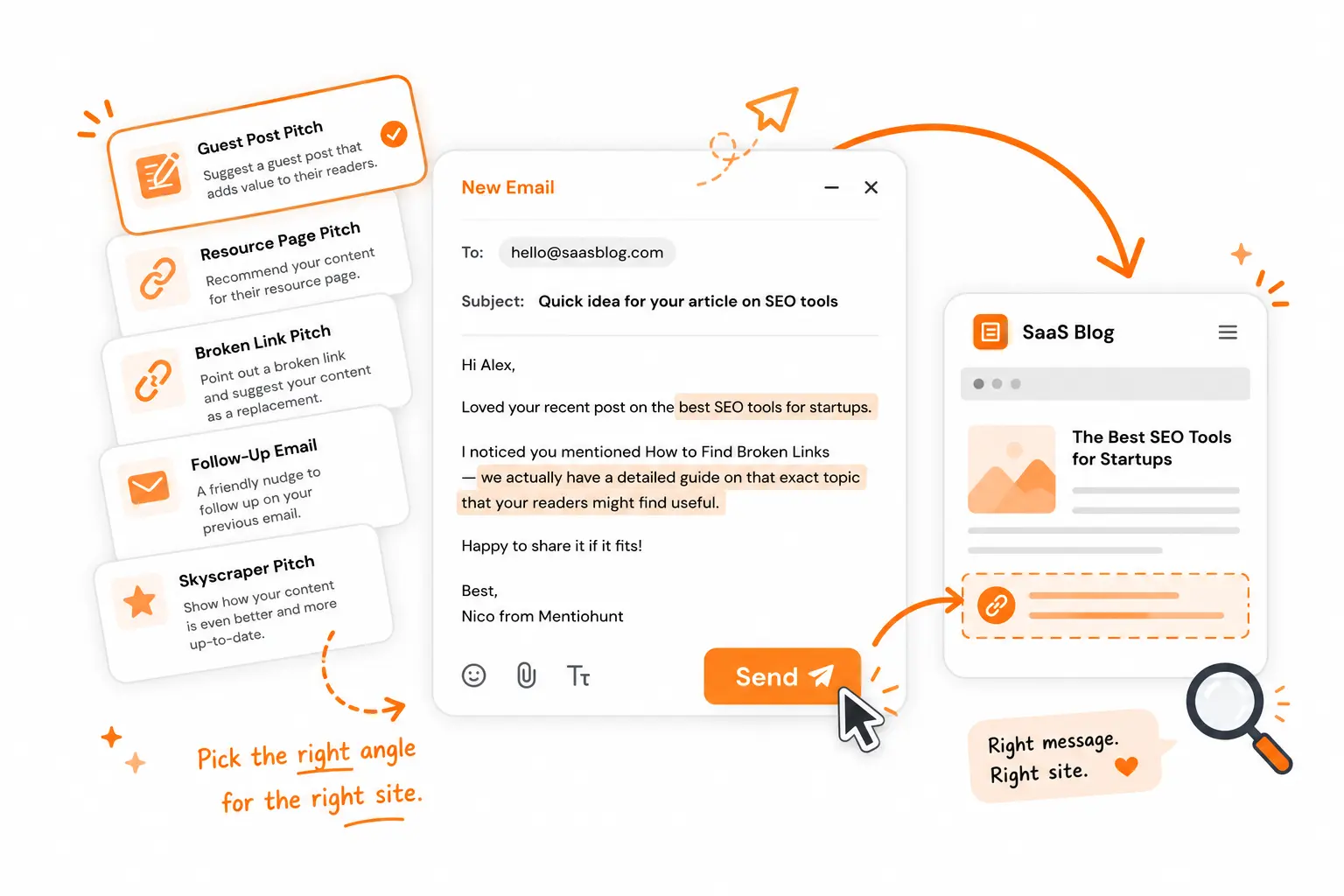
Most blogger outreach emails fail for the same reason: the sender picked one template and used it for every situation, whether they were suggesting a resource, flagging a broken link, or starting a collaboration. Bloggers can tell. Each situation needs a different opening and a different ask.
The fix is matching the template to what you actually found on the site, not defaulting to whichever one you remember.
Pick the template that matches what you found
Before writing anything, figure out which situation you're actually in. Each one calls for a different opening, a different ask, and a different tone.
| What you found on their site | Template to use | The ask |
|---|---|---|
| They have a curated resources or tools page | Resource page mention | Suggest an addition |
| A post links to something broken or outdated | Broken link replacement | Offer your page as the fix |
| They wrote about your space but never mentioned you | Collaboration / first contact | No ask — just get on their radar |
| You sent one of the above and heard nothing | Follow-up | Add something new, don't just "check in" |
Sending the wrong one out of habit is the most common way to waste a good prospect. A site owner with a resource page needs a specific addition, while a founder who already mentioned your product unlinked doesn't need to be introduced to who you are. If the site explicitly accepts contributed articles, use the dedicated guest post outreach templates instead.
Fill in the page context before writing
For each candidate, record the source URL, the exact section you read, the person responsible, your relevant resource, and one reason their readers would benefit. If you cannot fill in those five fields, choose another prospect. For example, a resource-page pitch should name the existing resources it complements and the gap your resource fills; a broken-link pitch should name the dead URL and verify your replacement covers the same question.
The four templates
Each of these assumes you've already read the specific page you're referencing — not skimmed the homepage. The reference in the first line is what separates a real email from a template with a name swapped in.
Resource page mention
Use this when a site has a curated "best tools" or "resources" page where your article or product fits naturally.
Hi Sarah,
Came across your cold email resources page while looking into outreach tools. You've got the Lemlist blog and Hunter.io's outreach guide listed — solid picks.
One thing I didn't see covered: email deliverability setup for founders using a new sending domain for the first time. We published a guide that walks through SPF, DKIM, and DMARC in plain language — no sysadmin required.
Would it be a fit to add?
Tom
Naming something already on the page proves you looked at it, not just found it in a search result.
Broken link replacement
Use this when you find a dead or outdated link inside an existing post and have a page that genuinely fills the same gap.
Hi Priya,
Read your post on email domain warm-up — specifically the section on daily sending limits. Useful breakdown.
One thing readers probably ask after that section: how to set up a separate sending subdomain so your outreach reputation doesn't affect your main domain. We wrote a guide that covers exactly that: capsule.io/blog/email-deliverability
If it fits what you'd want to point readers toward, happy to share more context.
Tom
Name the exact section and the exact gap. "I noticed a broken link" without saying which one, or why your page is the right replacement, gets deleted.
A genuinely better replacement page moves that conversion rate more than the email copy does.
Collaboration / first contact
Use this when a blogger writes in your space but hasn't mentioned you yet, and you don't have a specific ask — just want to open a relationship.
Hi Marcus,
I run Capsule — we build a lightweight CRM for small B2B sales teams. I came across your post on outreach systems for early-stage teams on GrowthHackers and wanted to say it's one of the better breakdowns I've seen on keeping outreach volume manageable without burning through prospects.
We've been working through a related problem on the deliverability side — mainly how founders set up a sending domain without realizing it affects their main product email reputation. Wrote up what we learned here, in case it's useful: capsule.io/blog/email-deliverability
No ask here, just wanted to say hi and flag it in case it's relevant to what you cover.
Tom
Skip the ask entirely. The goal is recognition, not a placement — this is the email that makes a future pitch land better because your name is already familiar.
This one is intended to start a relationship. Track meaningful replies or later conversations; email opens are too unreliable to judge the outcome alone.
Follow-up
Use this four to six days after any of the above, if you haven't heard back.
Hi Priya,
Following up on my note from a few days ago.
One thing I should have mentioned: the guide also covers how to check whether emails are landing in inbox vs. spam before scaling sends — something a lot of readers ask about in that context. Worth flagging in case it changes how it fits.
Happy to answer any questions.
Tom
Never write "just checking in" — it signals you have nothing new to add. Give the reader a reason to reconsider, not just a reminder.
Stop after a brief, useful follow-up if there is still no reply. Respect the recipient's lack of interest.
What to personalize in every template
The templates above are a starting structure, not copy to paste as-is. Three things separate a personalized email from a template with a name swapped in:
- The opening line needs proof you read something specific — a claim, an example, a section, not "I loved your blog."
- The value proposition should describe what their readers get, not what your company does. "This might help readers who want to go deeper on X" reads differently than "check out our tool."
- The ask should be one sentence, one question, and easy to answer with a yes or no. Multi-part asks force the reader to make several decisions at once, which is the easiest way to get no reply at all.
Common mistakes that kill reply rates
- Using the wrong template for the situation. A guest post pitch sent to someone with no guest post history, or a broken-link email that doesn't name the actual broken link, both read as mass-sent regardless of how well-written they are.
- Leftover template artifacts. Brackets, placeholder names, or a subject line that doesn't match the body are the fastest way to get filtered as spam.
- Multiple asks in one email. Pick one: a guest post, a mention, a link fix. Stacking asks makes the email harder to say yes to.
- No reason for why you picked them specifically. If the email could have been sent to any blog in the niche, it will get treated like it was.
Before you send: a short checklist
- Does the first line reference something specific from their site, not their site in general?
- Is there exactly one ask, phrased as a yes/no question?
- Would this email make sense only to this recipient, or could it go to anyone?
- Did you check for leftover brackets, placeholder names, or a mismatched subject line?
If you can't answer all four confidently, it's worth another pass before it goes out.
Templates solve the writing problem. They don't solve the harder problem, which is finding the right site and the right page to reference in the first place — that's usually where most of the time in outreach actually goes. Mentiohunt surfaces sites where your article has a real reason to be mentioned, along with a fit rationale, so the personalization above has something concrete to work from before you write a word. Existing users can review those prospects in the dashboard.
That's what turned into three live placements on independent blogs for Elevation Vibe's first month — each one landing because the pitch referenced the exact article, not a generic blogger outreach template.
Founder at Mentiohunt. Building distribution tools for founders and small marketing teams. Writes about backlink building and founder-led growth.